Study Hour Tracking for Fraternities & Sororities
Track chapter study hours, set weekly goals, and review member progress. CampusStudy gives fraternity and sorority leaders one place to manage study requirements.
Track chapter study hours, set weekly goals, and review member progress. CampusStudy gives fraternity and sorority leaders one place to manage study requirements.
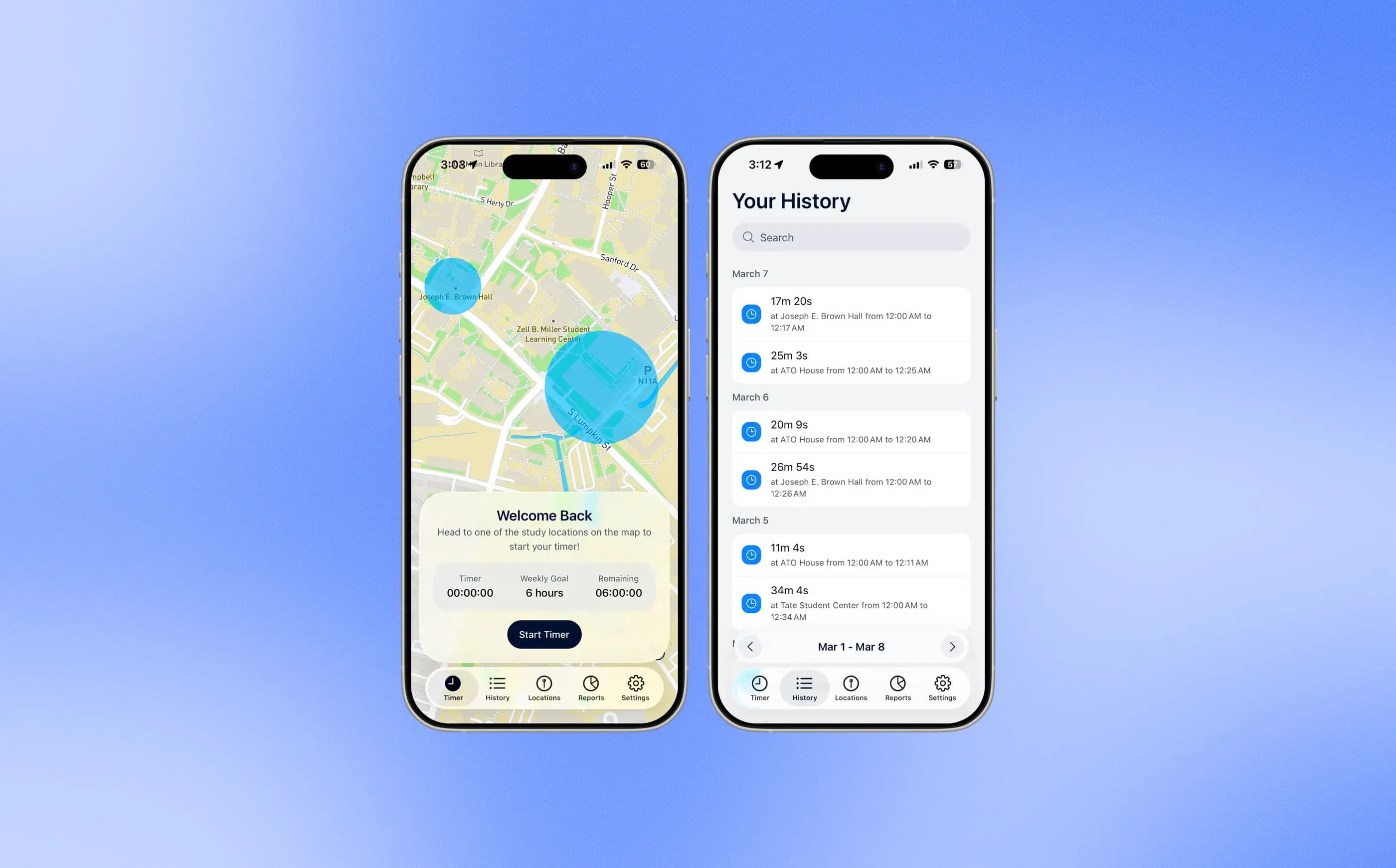
Members use the app to time their study sessions. They can see how many hours they have completed.
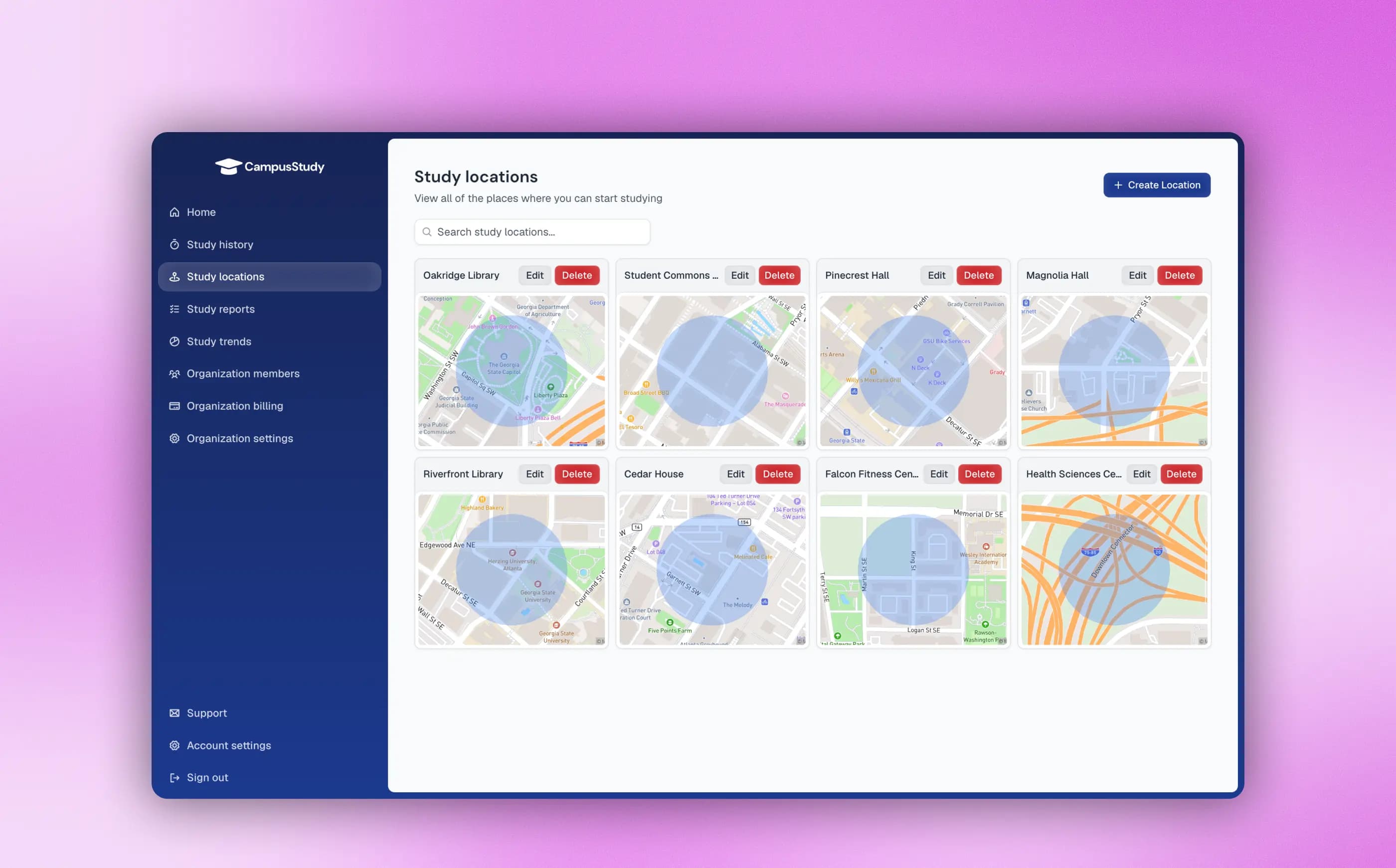
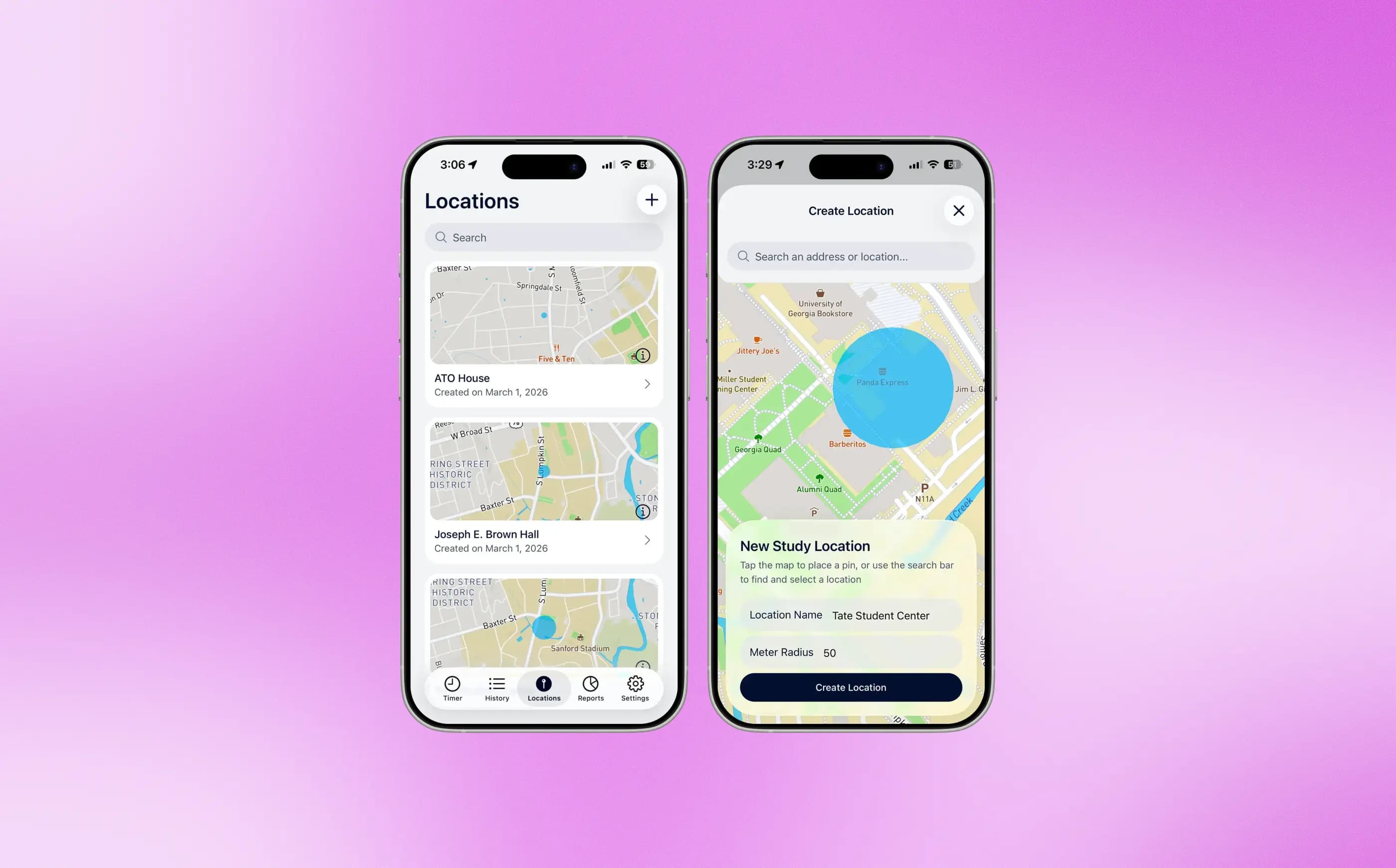
Chapter leaders choose where members are allowed to log study hours. Members can only start a timer inside a location you approve.
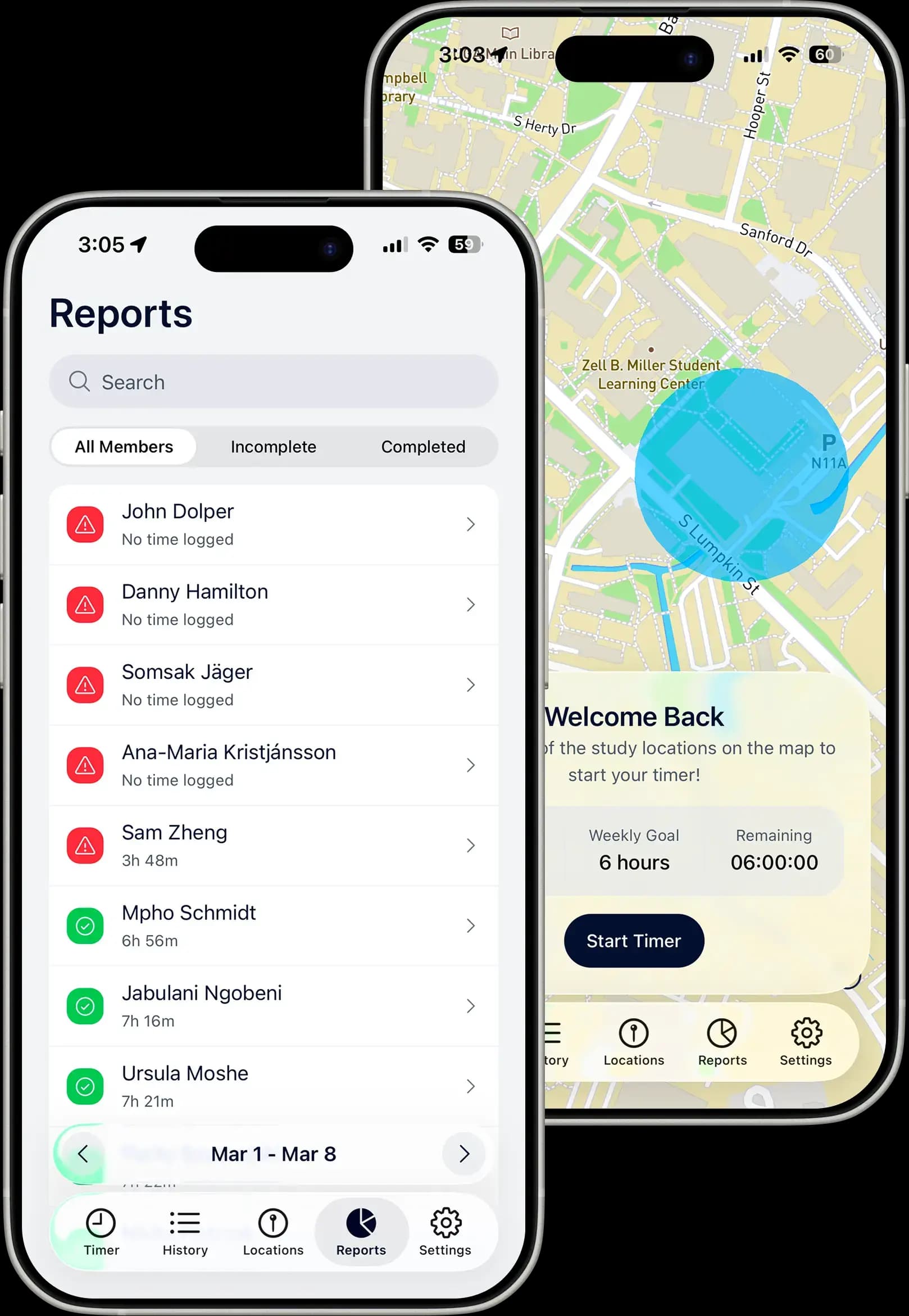
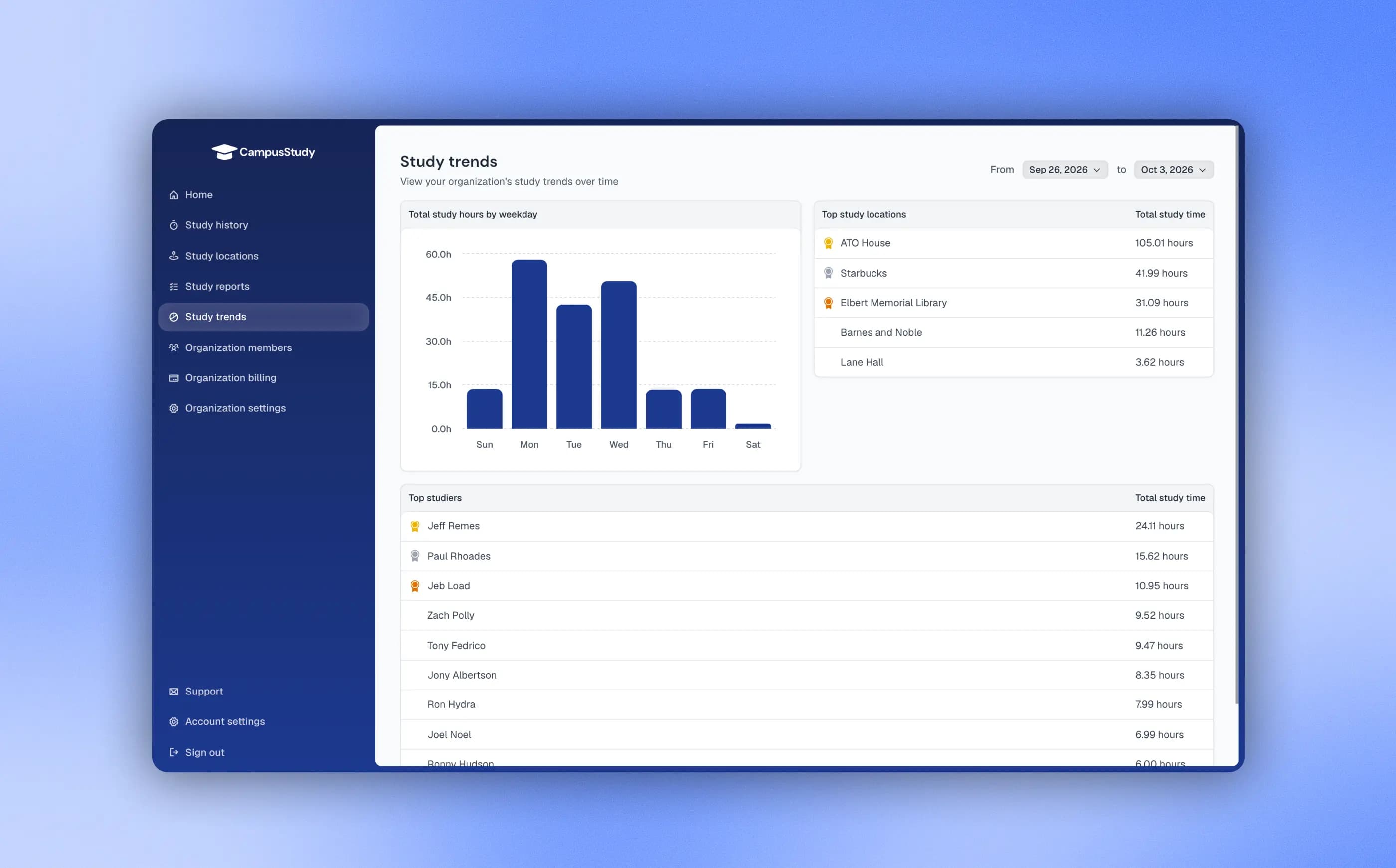
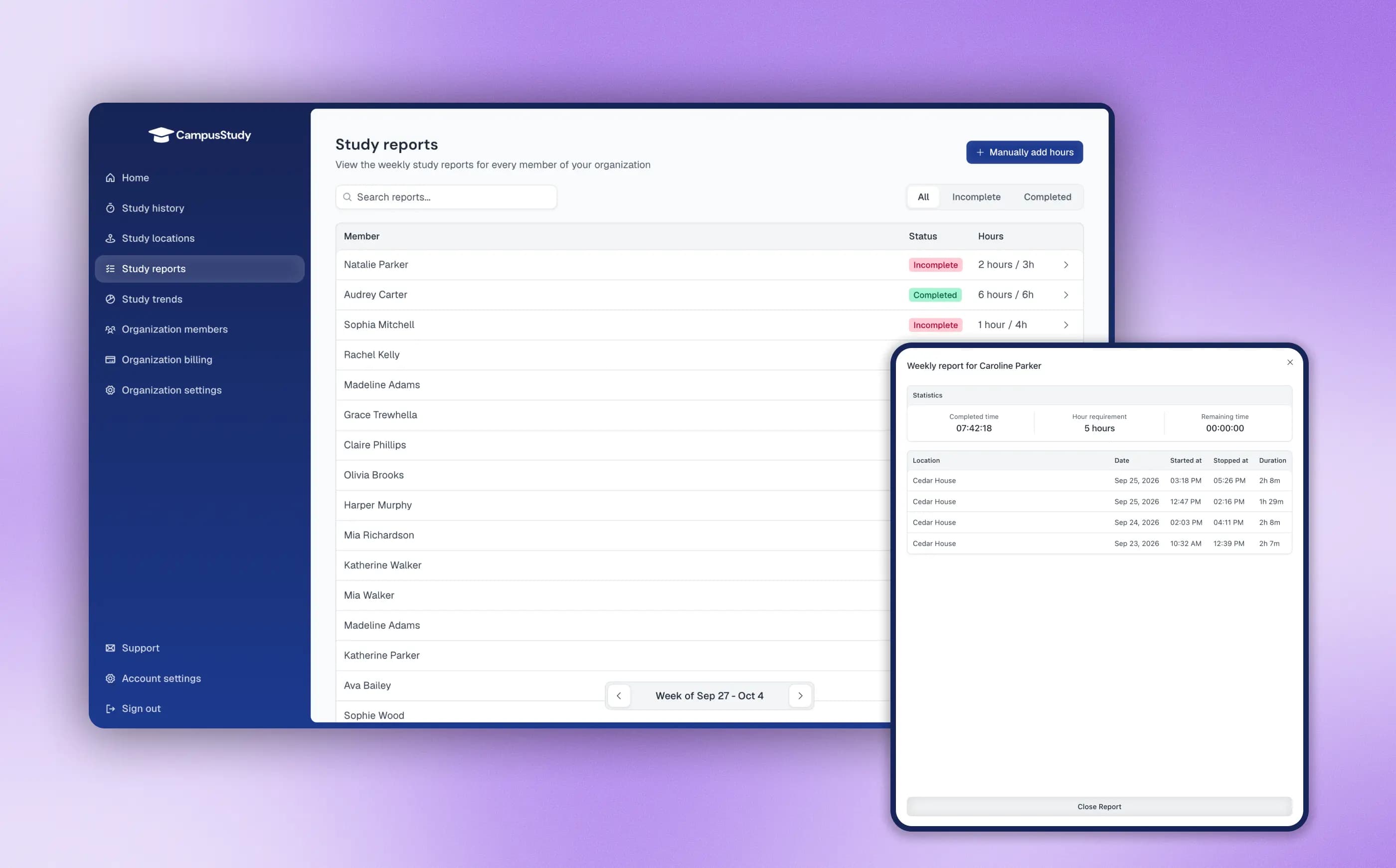
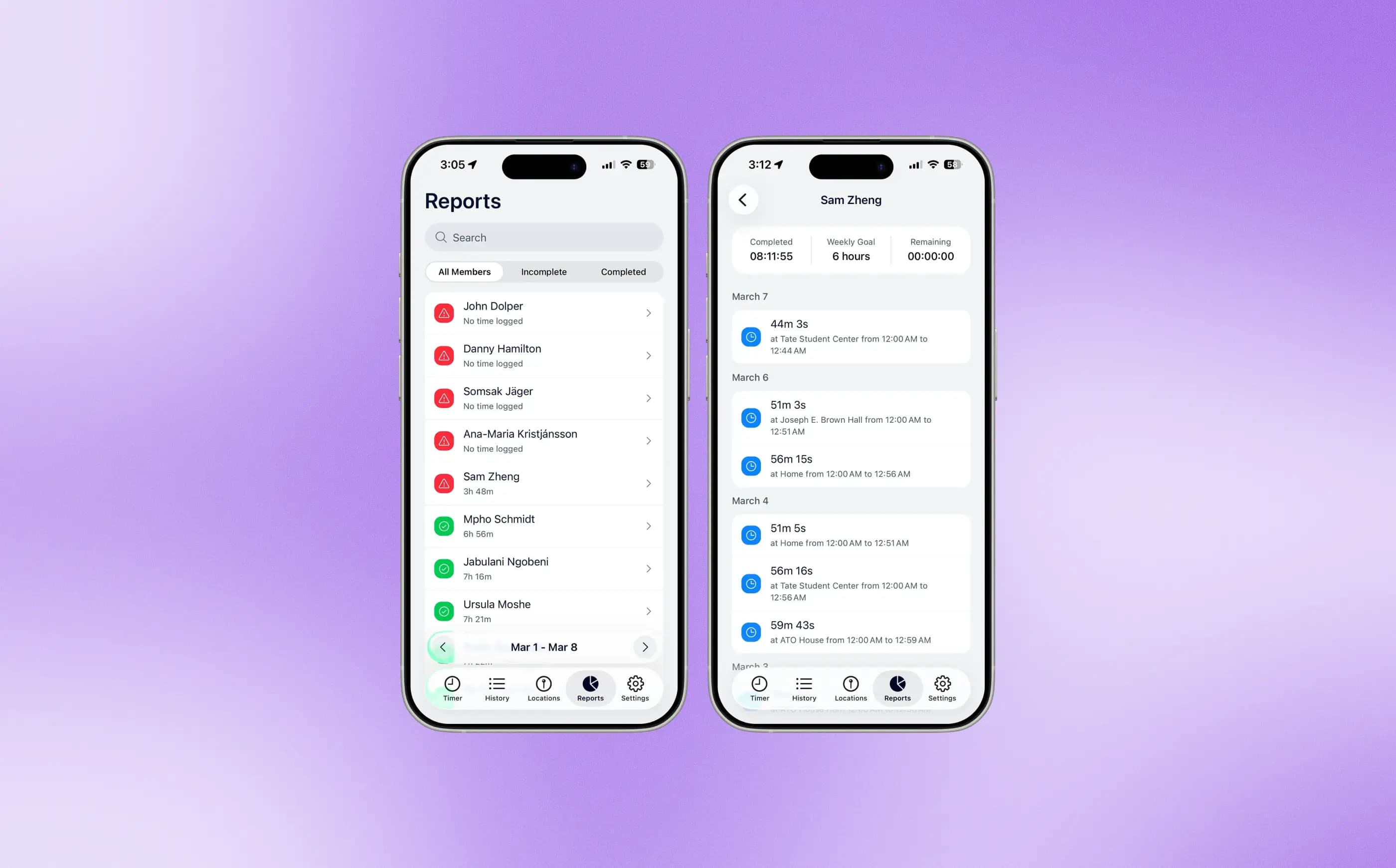
See who has completed their weekly study requirement and how each member is progressing toward their goal. Open a session to check its date, duration, and location.
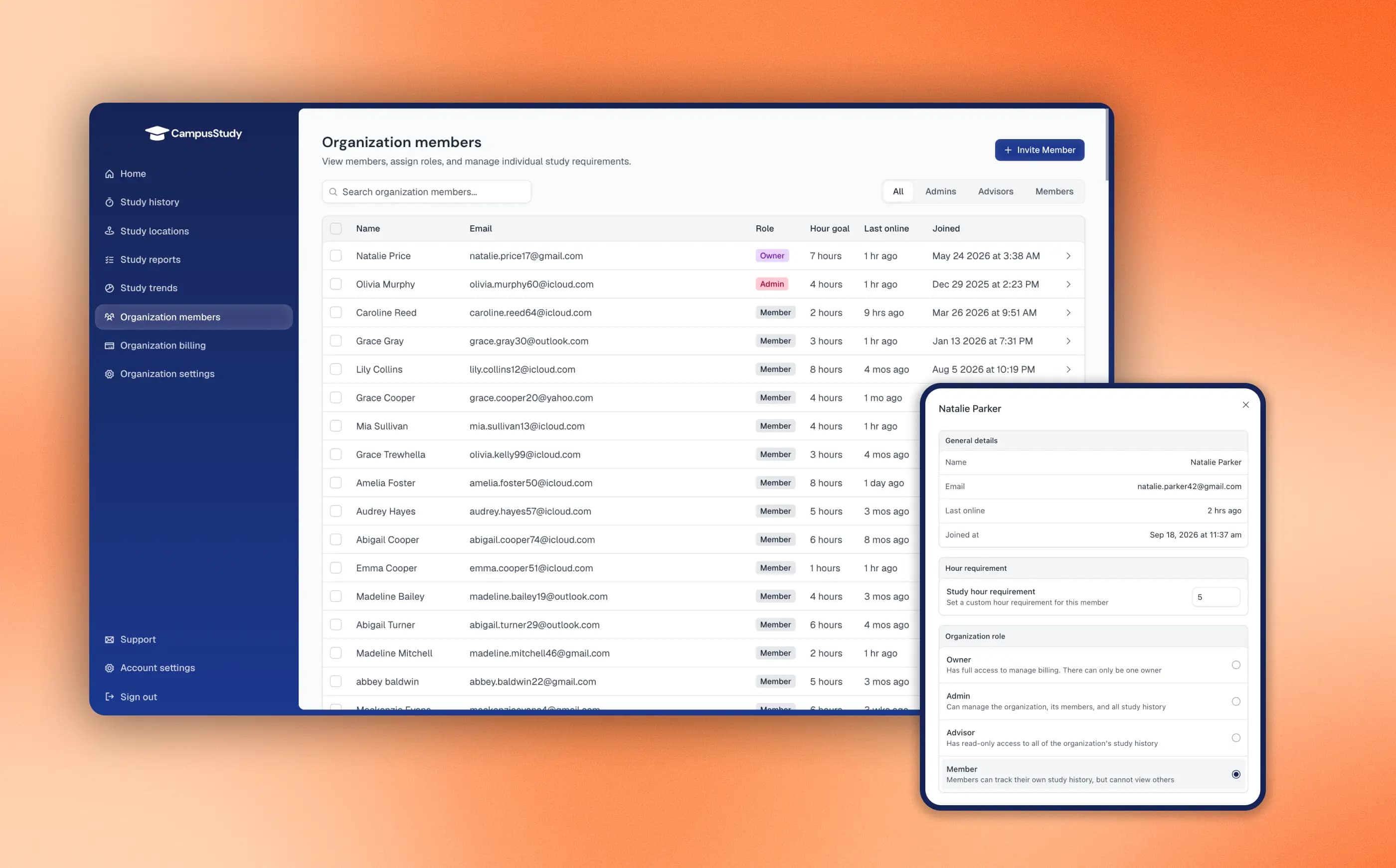
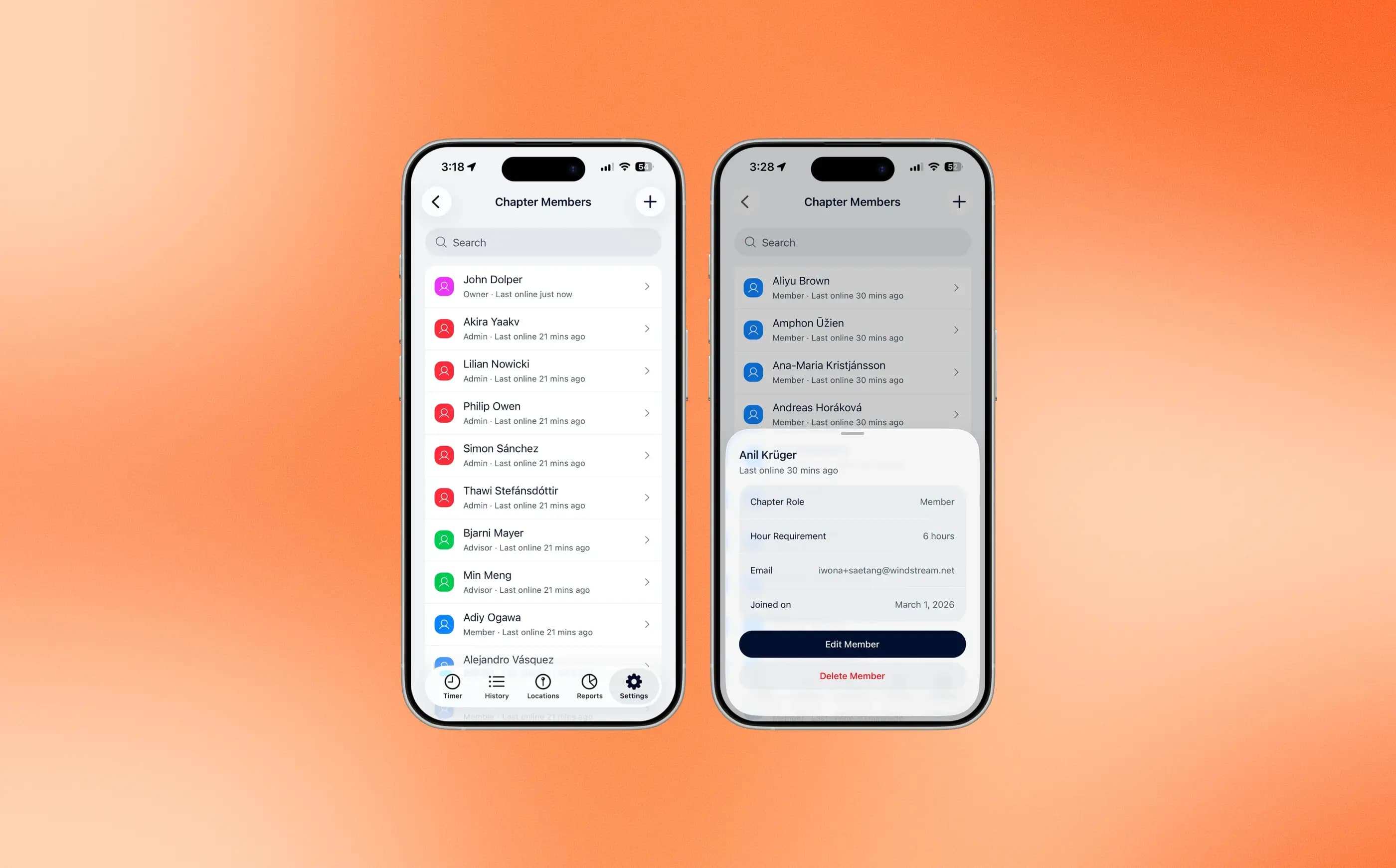
Set individual study requirements and manage member roles in one roster. Give chapter officers editing access and let advisors view study reports.
Our pricing includes no per-member fees or overpriced add-ons. One price gets your entire chapter everything it needs.
Invite everyone in your organization and keep your full roster in one place.
Members start and stop a timer in the app to log each study session.
Only count study time at the library, chapter house, or other places you approve.
See completed hours, remaining goals, and who may need a quick follow-up.
Set a shared weekly goal, then adjust hours for individual members when needed.
Give officers editing tools while advisors can safely review progress and reports.
Common questions about tracking study hours for your chapter.
CampusStudy costs $179.99 per year for your chapter, with unlimited members and every feature included: study timers, approved locations, weekly reports, individual study requirements, and member roles. There are no additional fees.
Members go to a study location your chapter has approved, then start a timer in the app. They stop the timer when finished. The app records the session and shows their completed hours and how many they still need for the week.
Yes. You choose where members are allowed to log study hours and set a boundary around each location on the map. Members must be inside one of those boundaries to start a timer.
Yes. Set a weekly requirement for your chapter, then adjust hours for individual members based on their study needs.
Reports show who has met their study goal and who has hours remaining. Individual records include session dates, durations, and locations.
Yes. Advisors can view study reports without changing chapter settings or member information. Chapter officers can manage members and study requirements.
Create your chapter in CampusStudy, choose approved study locations, and set weekly study requirements. Set an invite code for your chapter and share it with members. Ask them to download the CampusStudy app and enter the code to join your chapter and start tracking study hours.